
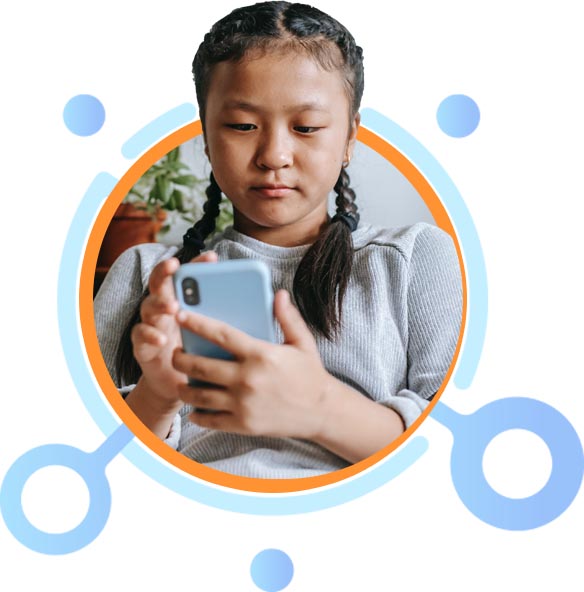
Instagram is a social media platform that was founded in 2010 by Kevin Systrom and Mike Krieger. It was initially designed as a photo-sharing app for iOS devices. It has since become a popular choice for over one billion active users worldwide, sharing visual content, connecting with like-minded individuals, and promoting businesses and brands. Its range of features and emphasis on creativity and community-building has made it a powerful tool for personal and professional use.

How does Instagram work?
Here’s a breakdown of how Instagram works:
Creating an account: To use Instagram, you need to create an account. You can sign up using your email address or Facebook account. Once you have created your account, you can create a profile, add a profile picture, and write a bio.
Sharing content: Instagram is all about sharing visual content. You can upload photos and videos directly from your phone, and edit them with filters, captions, and tags. You can also share content from other users by re-posting or sharing it to your own feed or stories.
Engaging with content: You can engage with other users’ content by liking, commenting, or sharing it. You can also send direct messages to other users, either privately or in a group chat.
Following other users: To see content from other users, you can follow them. When you follow a user, their content will appear in your feed. You can also search for specific users, hashtags, or locations to discover new content.
Instagram Stories: Instagram Stories allow users to share short-lived photos and videos that disappear after 24 hours. Stories are a popular way for users to share behind-the-scenes glimpses of their lives or businesses, and can be enhanced with filters, stickers, and text.
Instagram Reels: Reels are short, 15-second videos that users can share with their followers. Reels are similar to TikTok videos and have become a popular way for users to showcase their creativity and personality.
IGTV: IGTV is a feature that allows users to upload longer, more in-depth videos to their Instagram feed. IGTV videos can be up to 60 minutes long and are designed for more in-depth content, such as tutorials or interviews.

What are the risks of Instagram?
While Instagram is a popular and widely used social media platform, it is important to be aware of the potential risks associated with its use.
Here are some of the main risks to consider:
Cyberbullying: Instagram can be a platform for cyberbullying, particularly among young people. Users can be targeted with negative comments, harassment, and other forms of bullying. It is important to be aware of the potential for cyberbullying and to take steps to prevent it.
Privacy concerns: Instagram users may share personal information, including their location, age, and interests. This information can be used by hackers or malicious actors for identity theft or other types of cybercrime. Users should be cautious about sharing personal information and should review their privacy settings regularly to ensure their information is protected.
Exposure to inappropriate content: Instagram can expose users to inappropriate or explicit content. While Instagram has policies against nudity and other explicit content, it can still be found on the platform. Parents should be aware of this risk and monitor their children’s use of the platform.
Addiction: Social media platforms, including Instagram, can be addictive. Users may spend excessive amounts of time scrolling through their feeds, which can lead to negative impacts on mental health, including anxiety and depression.
Scams and phishing attacks: Instagram users may be targeted by scams and phishing attacks. Scammers may use Instagram to trick users into giving away personal information or money. Users should be cautious of suspicious messages and links and should report any suspicious activity to Instagram.

How to protect my child on Instagram?
As a parent, it is natural to be concerned about your child’s safety and well-being while they use Instagram.
Here are some steps you can take to help protect your child on the platform:
Set privacy settings: Encourage your child to set their Instagram account to private, so only people they know and trust can see their posts and follow them. You can also help your child to review their followers and remove any they don’t recognize or feel uncomfortable with.
Monitor their activity: Keep an eye on your child’s Instagram activity, including the content they post, the people they interact with, and the messages they receive. You can do this by following them on Instagram, or using parental monitoring software.
Talk about cyberbullying: Educate your child about cyberbullying and encourage them to come to you if they experience or witness it. Help them to understand that they should never engage in bullying behavior themselves, and that they can report any instances of cyberbullying to Instagram.
Discuss appropriate content: Have an open and honest conversation with your child about appropriate content to post and view on Instagram. Help them understand the risks associated with inappropriate content, including exposure to explicit material or negative comments.
Set limits: Encourage your child to set limits on their Instagram use, and to take breaks from the platform when they feel overwhelmed or anxious. You can also set time limits or schedule Instagram-free times for your child.
Report inappropriate behavior: If you come across any inappropriate behavior on Instagram, including cyberbullying, explicit content, or scams, report it to Instagram immediately. You can do this by using the report function on the platform or contacting Instagram’s support team.
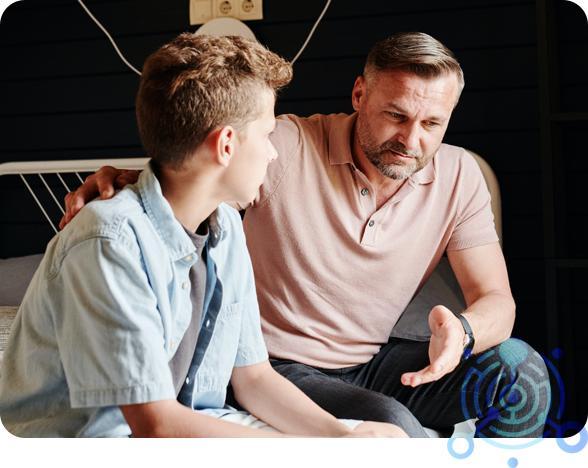
How can I make Fortnite safer for my child?
Set parental controls: Most gaming platforms have parental controls that allow you to restrict access to certain games, limit play time, and set spending limits for in-game purchases. Check the settings on your child’s device and make use of these tools.
Monitor gameplay: Regularly check in on your child’s gameplay to ensure that they are not being exposed to inappropriate content or interacting with strangers. Talk to your child about the importance of reporting any instances of bullying or harassment.
Educate your child about online safety: Teach your child about online safety and the risks associated with playing games online. Make sure they understand the importance of not sharing personal information or engaging with strangers.
Limit play time: Set limits on how much time your child can spend playing Fortnite. Encourage them to take breaks and engage in other activities, such as reading, playing outside, or spending time with family and friends.
Play together: Play Fortnite with your child to understand the game and its content. This can also help you monitor their gameplay and provide guidance on appropriate behavior.