

Discord is a free communication platform designed for gamers, but it has since expanded to include various communities and interest groups. It allows users to communicate in real-time via voice, text, and video chat. Discord was created to provide gamers with a way to communicate with each other while playing games, and it has since become one of the most widely used communication platforms on the internet.

How does Discord work?
Discord offers various features, including the ability to join and create servers, which are virtual spaces where users can communicate with each other. Servers can be public or private, and users can create different channels within a server to keep conversations organized. This feature is especially useful for gamers who want to communicate with each other while playing games. For example, a server can be created for a specific game, and channels within the server can be created for different modes or maps.
Discord also offers voice and video chat capabilities, which are especially useful for gamers who want to communicate with each other while playing games. The platform’s voice chat feature allows users to join voice channels within a server and communicate with other users in real-time. Discord’s video chat feature allows users to participate in video calls with other users, making it a useful tool for remote collaboration and virtual events.
Discord offers various moderation features, including the ability to control who can join a server, who can send messages in specific channels, and the ability to ban or kick users who violate the server’s rules. These moderation features allow server owners to maintain a safe and positive environment for their users.
Discord also offers the ability to share files and links. Users can upload and share files within a server or a specific channel, making collaborating on projects or sharing resources easy. Discord also offers the ability to share links, which can be useful for sharing relevant content or directing users to external resources.
Another feature of Discord is the ability to customize the platform’s look and feel. Users can create custom emotes and emoji’s, which can be used in conversations on the platform. Users can also customize their profiles and server icons to reflect their personality or the theme of their server.
Discord also constantly updates and adds new features to improve the user experience.

How is Discord downloaded and set up?
Discord is a free communication platform available on various devices, including desktop, web, and mobile applications.
Downloading and setting it up is a simple process that involves installing the application, signing up for an account, joining a server, setting up your profile, and exploring the platform’s features. With these steps, you can start using Discord to communicate with others and participate in online communities.
To download and set up Discord, follow the steps below:
Go to the Discord website: Open your web browser and go to the Discord website at https://discord.com/.
Choose your device: Once you are on the Discord homepage, you can choose the device you want to download and install.
Download and Install: After selecting your device, you can click on the “Download” button to start the download process. Once the download is complete, you can follow the instructions to install Discord on your device.
Sign up for an account: After installing Discord, you will need to sign up for an account. You can create a new account by providing your email address and creating a password, or you can sign up using your existing Google, Facebook, or Apple account.
Join a server: Once you have signed up for an account, you can join a server to start communicating with other users. You can create your own server or join an existing one using an invite link or server code.
Set up your profile: After joining a server, you can set up your profile by adding a username and profile picture. You can customize your profile by adding a bio, social media links, and other information.
Explore Discord: Once you have set up your account and joined a server, you can start exploring Discord’s features. You can join different channels within a server, communicate with other users using voice, text, or video chat, share files and links, and use various other features to enhance your communication experience.

How do children of different ages typically use Discord?
Children of different ages use Discord for various purposes, including socializing, gaming, and academic-related activities. While Discord can be a great tool for communication and community-building, it’s important for parents and guardians to monitor their children’s online activities and ensure their safety.
Here’s a breakdown of how children of different ages typically use Discord:
Elementary School Children: Younger children in elementary school typically use Discord to connect with friends and family, participate in gaming communities, and explore their interests. They may join Discord servers related to their favorite games, TV shows, or hobbies, or use Discord to talk to their friends during after-school hours.
Middle School Children: Middle school children use Discord primarily to socialise with peers and participate in online gaming communities. They may join Discord servers related to their favourite games or join social groups related to their interests, such as music, art, or anime. Discord can be a great platform for middle school children to connect with like-minded individuals and build new friendships.
High School Students: High school students use Discord for various purposes, including socializing, gaming, and academic-related activities. They may use Discord to participate in online gaming communities, join academic or professional groups related to their interests, or communicate with classmates for group projects or homework assignments. Discord can also be a useful tool for high school students to prepare for college and connect with peers and mentors in their field of interest.
College Students: College students use Discord for a wide range of purposes, including academic-related activities, socializing, and networking. They may use Discord to participate in online study groups, join professional or academic communities, or communicate with classmates and professors. Discord can also be a valuable tool for college students to connect with peers and mentors in their chosen field, especially in the remote learning environment.

Is Discord safe?
Discord, like any online platform, has its risks and potential dangers, but it can be safe when used responsibly and with caution. It’s important for users to be aware of the potential risks and dangers and take steps to ensure their safety. Parents should also be involved in their child’s online activities on Discord and take steps to monitor and protect their child’s safety.
Here are some things to consider:
Moderation and Safety Features: Discord has a range of moderation and safety features, such as the ability to block or report users and inappropriate content, set privacy settings, and customize who can see your information. Additionally, many servers have moderators who are responsible for monitoring and enforcing rules to ensure a safe environment for all users.
Personal Information: Users should avoid sharing personal information such as their full name, address, phone number, or any other identifying information on Discord. It’s also important to avoid clicking on suspicious links or downloading files from unknown sources.
Online Behavior: As with any online platform, users should practice responsible online behavior and treat others respectfully. Users should avoid cyberbullying, hate speech, or any other form of harmful or inappropriate behaviour on Discord.
Parental Involvement: Parents should monitor their children’s online activities on Discord and have open conversations about online safety and responsible online behaviour. Parents can set parental controls and use moderation bots on Discord to ensure their child’s safety.
What is the minimum age to use Discord?
Discord’s terms of service require users to be at least 13 years old to create an account. This age requirement is due to the Children’s Online Privacy Protection Act (COPPA) in the United States, which sets strict guidelines for websites and online services that collect personal information from children under the age of 13.
However, it’s important to note that age verification on Discord is based on self-reported information, and users can easily lie about their age when signing up. It’s important for parents and guardians to monitor their child’s online activities on Discord and ensure their safety, regardless of their stated age.
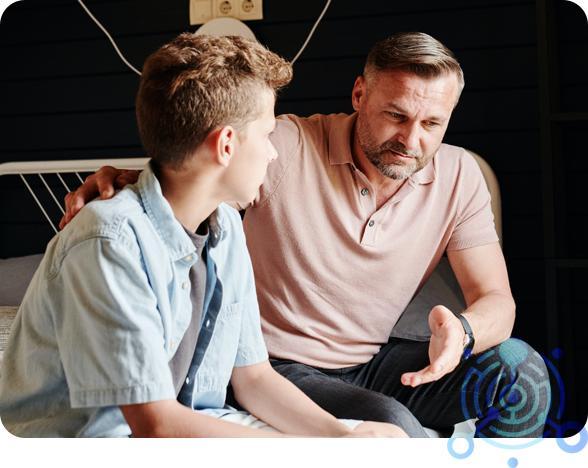
How can I make Discord safer for my teenager?
Here are some ways to make Discord safer for your teenager:
- Set Parental Controls: Discord offers parental controls that allow parents to monitor their child’s online activity, control access to certain content or servers, and limit daily usage time. You can enable these controls by creating a parent account and linking it to your child’s account.
- Educate Your Teen: Talk to your teenager about online safety and responsible behaviour on Discord. Encourage them to avoid sharing personal information, clicking on suspicious links, or downloading files from unknown sources.
- Monitor Their Activity: Regularly check your teenager’s Discord activity, including the servers they are a part of and the conversations they are having. You can also enable notifications for direct messages and friend requests.
- Use Moderation Bots: Many Discord servers have moderation bots that automatically detect and remove inappropriate content. You can also add bots to your teenager’s private server to help monitor and moderate their activity.
- Encourage Safe Server Choices: Encourage your teenager to join moderated servers with clear rules about appropriate behaviour. They should also avoid servers that promote hate speech or illegal activity.
- Know When to Intervene: If you notice any concerning behaviour or inappropriate content on your teenager’s Discord account, it’s important to intervene and take appropriate action. This may include reporting the user or server, blocking or muting certain users, or disabling your teenager’s account if necessary.